How to make a football club website: what it needs, section by section

The homepage of our free football club template, with the next match right under the headline
A football club website has one job: to answer the questions people would otherwise send to the club secretary. When is the next match, and where? What was the score on Saturday? Where are we in the table? How does my daughter join the under 12s?
Plenty of club sites answer some of these and bury the rest. This guide goes through the sections a club site needs, what each one should show and the mistakes that are easy to make, and ends with three ways to build it.
We make SportyBlocks, a library of sports components for Tailwind CSS, and the screenshots come from our free football club template. The checklist works whatever you build the site with.
Who visits a club website
Four groups of people, each looking for something different:
- Players and parents check kick-off times, meeting times and venues, often from a phone on the way to the ground.
- People who want to join, from new players and parents of children to coaches and volunteers, need training times and a way to get in touch.
- Away teams and visitors look for the address, parking and the changing rooms.
- Sponsors and the local community want to see that the club is active, and sponsors want to see their logo.
Put the first group's answers at the top of the homepage: the next match, the latest result and the table. The rest can sit lower down or on their own pages.
Next matches
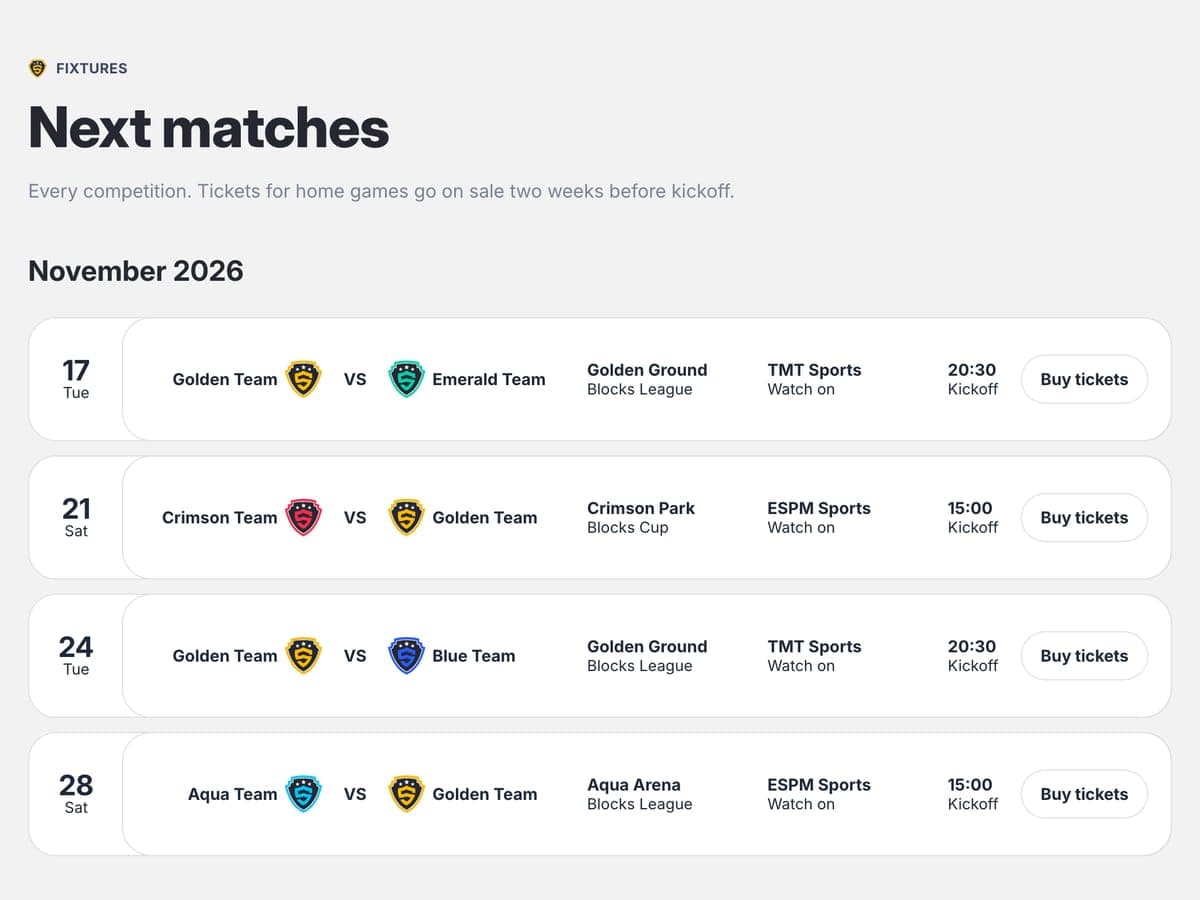
The fixture list is the page players and parents open every week of the season. Each match needs:
- the date and the kick-off time, with the day of the week
- home or away, and the opponent
- the venue, with a full address or postcode and a link to a map
- the competition, such as the league or a cup
- for youth teams, the meeting time if coaches use one
The common mistakes are a list that stops in October and a postponed match that still looks like it's on. When a game moves, mark it as postponed or show the new date instead of deleting it, so someone checking late sees the change.
Results
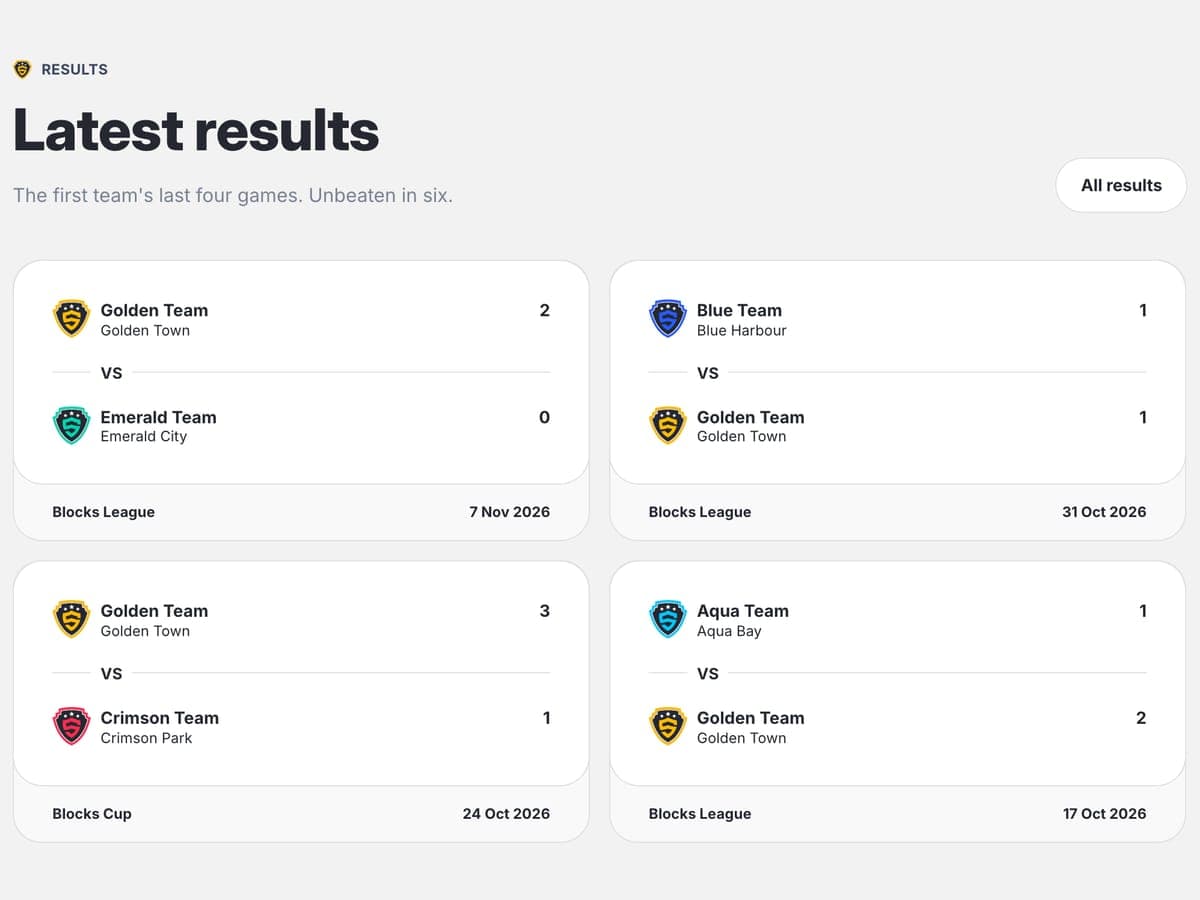
For each result, show the score, the opponent, the competition and the date. Scorers and a short match report are worth adding when someone at the club is willing to write them.
Keep the latest result near the top of the homepage and a full list for the season on its own page. A results list that skips weeks reads as a club that has stopped playing, so if a report isn't ready, publish the score on its own.
The league table
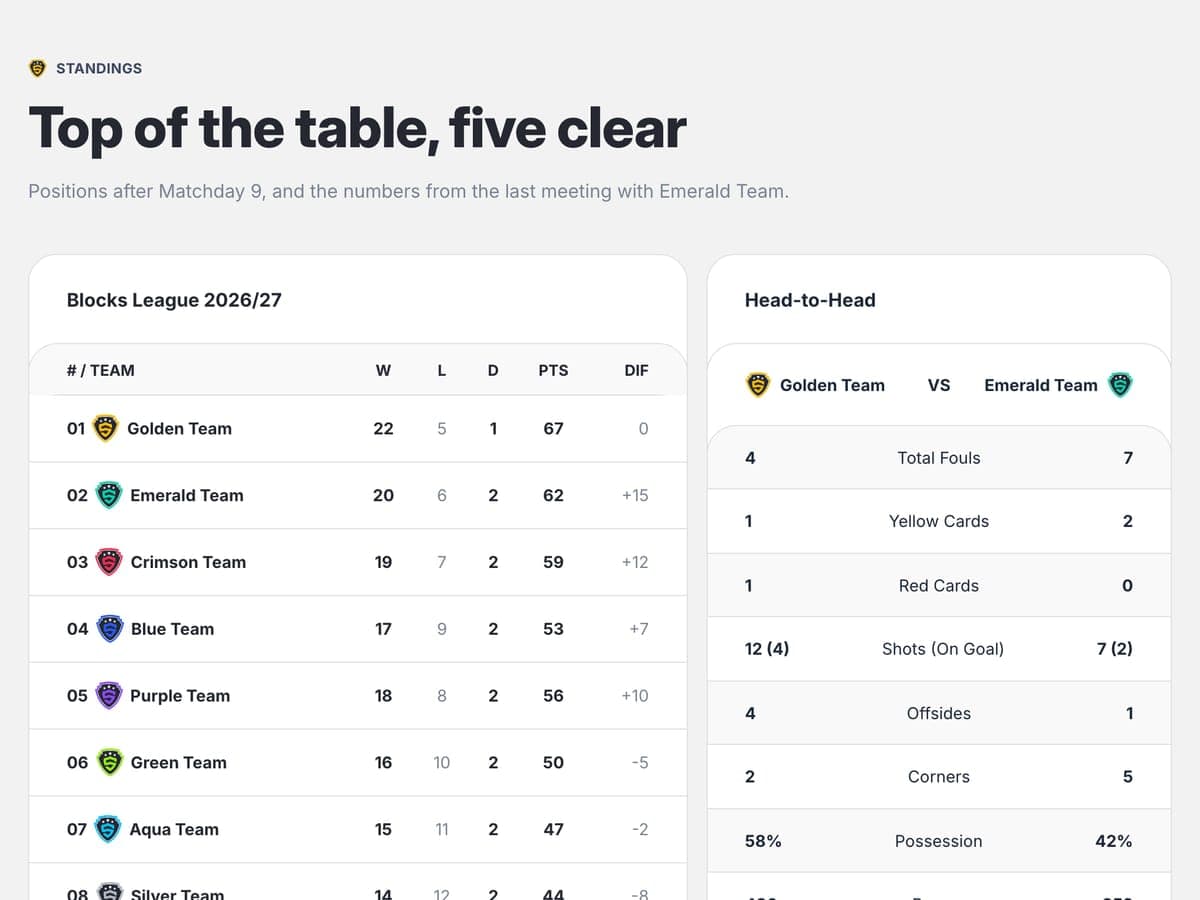
Retyping the table every week is the job that gets dropped first, so don't plan on it if you can avoid it.
In England, many grassroots leagues run on the FA's Full-Time system, and Full-Time can show the table, recent results and upcoming fixtures on your site for you. A registered team admin logs in to Full-Time admin, opens Media, then Code snippets, and copies the embed code into the page; the FA says that can include the club's website developer. The FA moved these snippets off its public pages, so if you can't find them, ask your team admin or the league. The club-wide options cover the teams in one league, so a club playing in several leagues needs one snippet per league.
Every option is listed in the FA's help article on Full-Time feeds. Outside England, check whether your league or association offers a widget or a feed before you build a table by hand.
If you do build it yourself, show the position, played, won, drawn, lost, goal difference and points, and highlight your own team. On a phone, keep the position, the team, played and points visible and let the other columns scroll.
Teams and squads
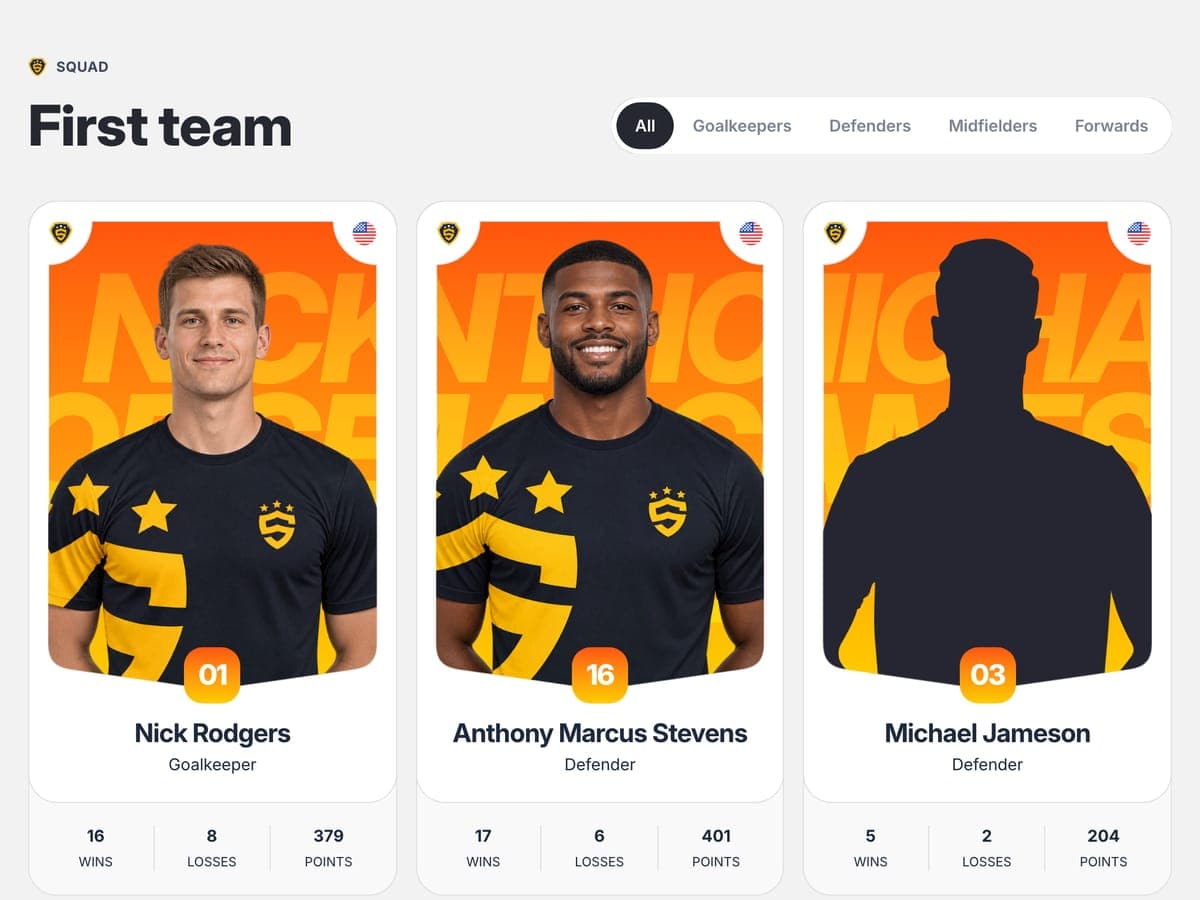
Most clubs are more than one team. Give each team its own block or page with the age group, the training day, time and place, and how to contact the coach, ideally through a club email address rather than a personal phone number.
Player profiles with photos suit an adult first team. With children, follow the rules. The FA's guidance on photographing and filming children asks clubs to have written parental consent before a player's photo appears on the club website or social media. It also says not to publish a photo with the child's name without written consent, and not to use player profiles with pictures and detailed personal information. The FA has a club membership and consent form for collecting that consent when players register, and for youth teams a team photo without names is the simple option.
Join the club
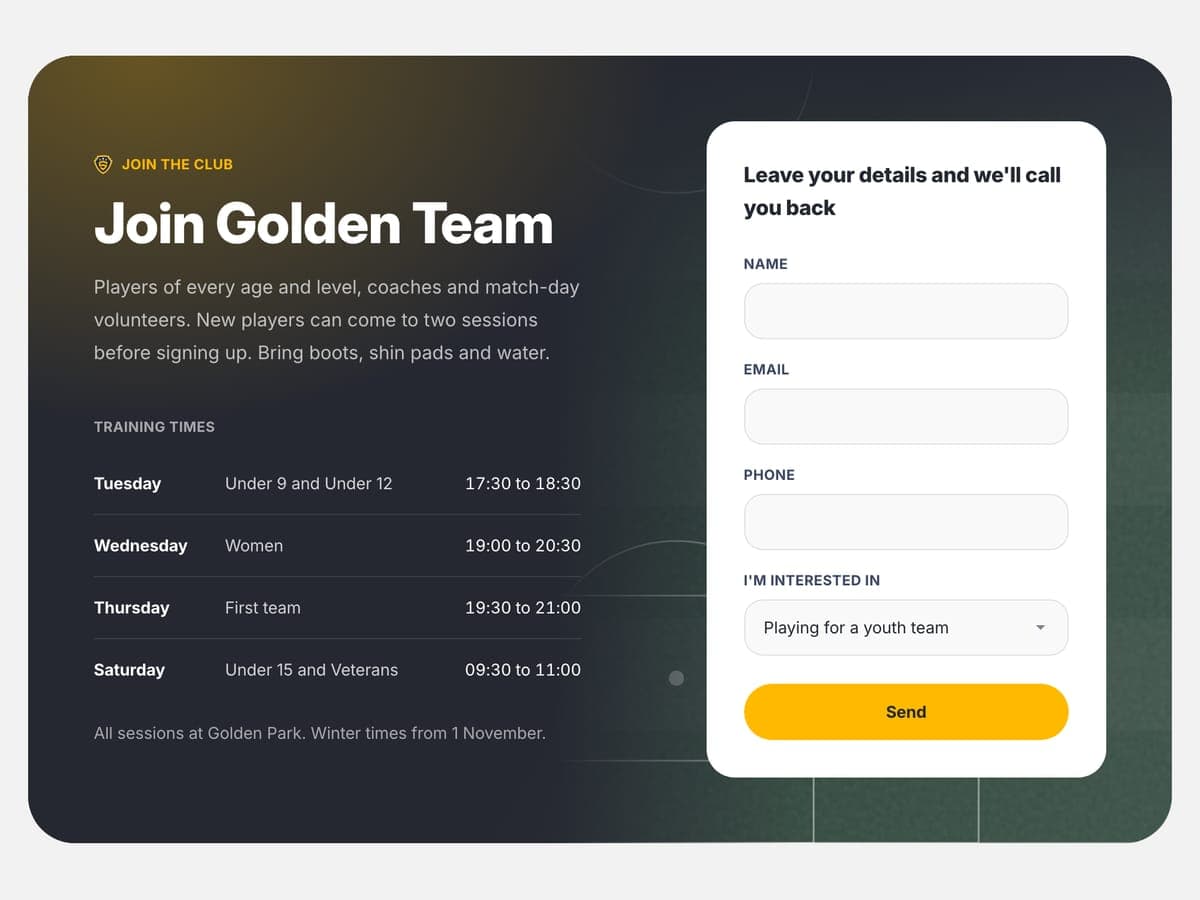
This is the section that keeps a club going. Someone thinking about joining wants four answers: is there a team for me or my child, when and where does it train, what does it cost, and can I try it first?
Answer those on the page, then add one short form: a name, an email or phone number, and what the person is interested in, such as playing, a youth team, coaching or volunteering. Say who replies and roughly how soon. If you charge subs or a registration fee, give the amount, because a price on the page saves a phone call.
Then test the form. Send a message through it, and check that it lands in an inbox someone reads this season, not the address of last year's secretary.
News
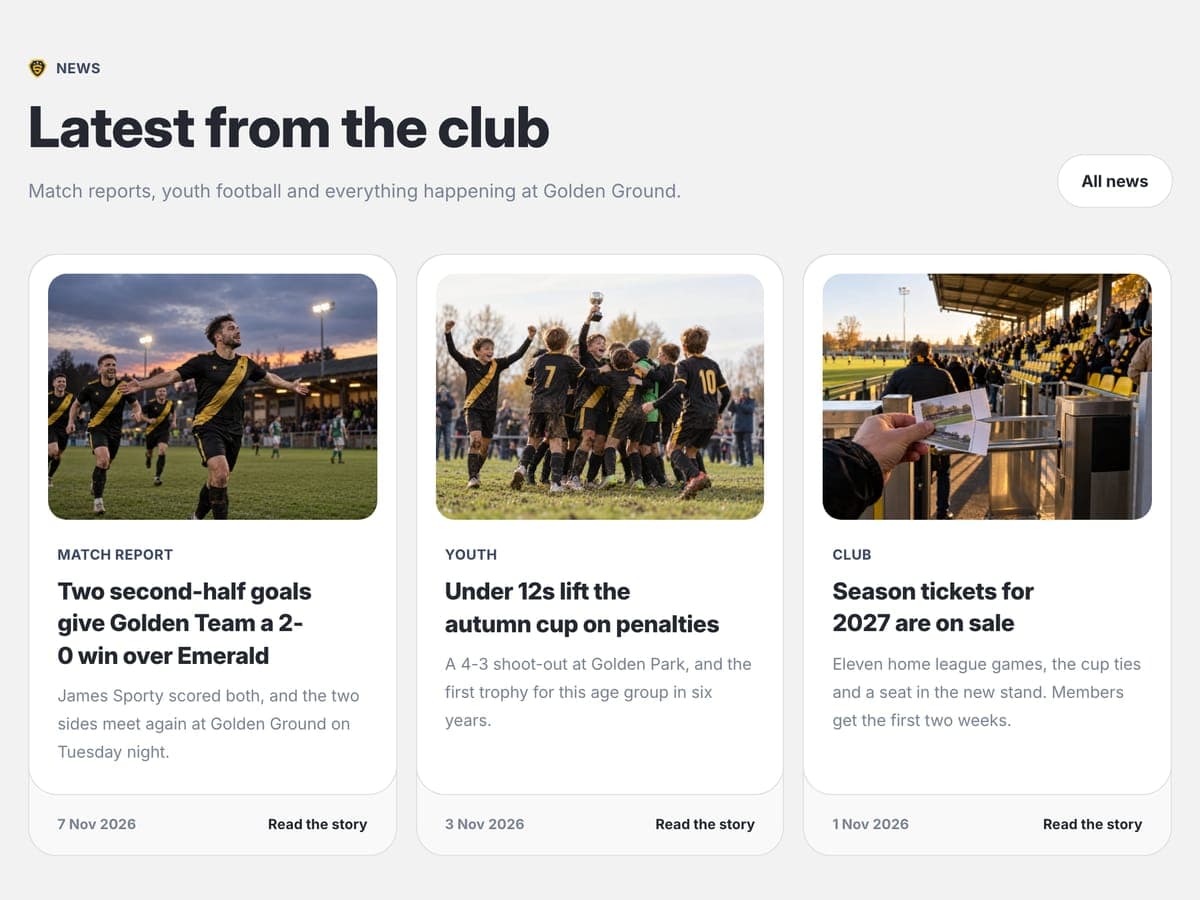
A dated post every week or two shows that the club is active: match reports, events, kit orders, a new sponsor, a new coach. Put the date on every post. A news page where nobody can tell how old the latest story is looks abandoned, even when it isn't.
Safeguarding and the welfare officer
In England, it is FA policy that every club running an under-18 team must have a Club Welfare Officer to affiliate, as the FA's guide to appointing one puts it.
Give the welfare officer a short section of their own: their name, a contact email and phone number, the club's safeguarding policy, the codes of conduct and how to report a concern. Link it from the footer and from the join section, so a parent can find it from any page. Football associations outside England have their own versions of the role, so check with yours.
Ground, contact and sponsors
The ground. The full address with the postcode, a map link, where to park and where the changing rooms are. Away teams and new parents need this once, usually the night before.
Contact. One club email address, the secretary's role rather than a personal name, since volunteers change, and links to the club's social accounts.
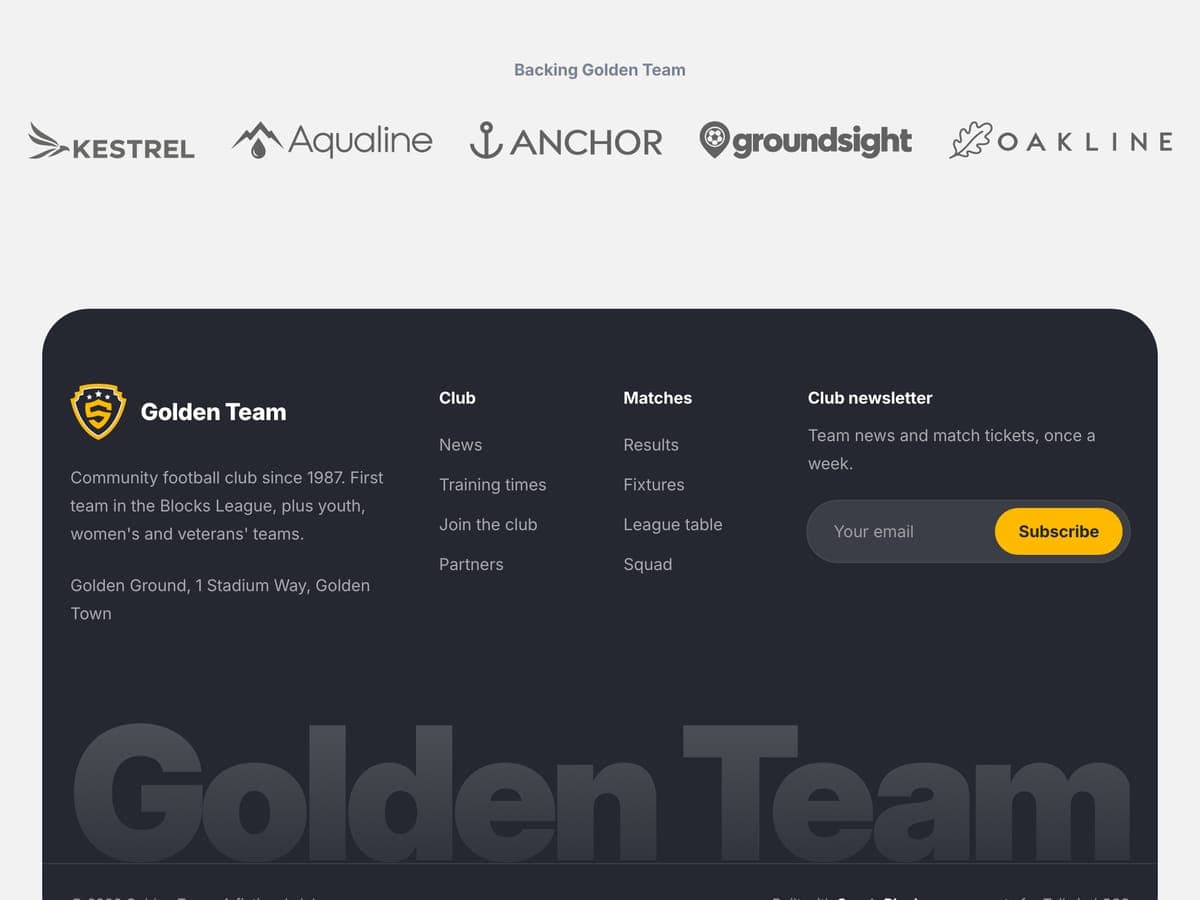
Sponsors. Their logos with links to their sites. Showing them well is part of what sponsors get for their money, and the next sponsor you approach will look at it too.
What to get right before launch
- Phones. Check every page on a phone, especially the fixture list and the table, which are the widest parts of the site.
- Handover. Whoever runs the site this season may not run it next season. Write down how to update the fixtures, where the domain is registered and who pays for it, and keep the logins with the club, not with one volunteer.
- The domain. Register it in the club's name. It costs around $15 a year.
- Readable text. Give every photo alt text, check the contrast of white text on the club colors, and put fixtures and results in real text rather than images, so phones and search engines can read them.
- Photo sizes. Compress photos before uploading them, so pages still load on a weak signal at the ground.
Three ways to build it
A club platform. Platforms such as Pitchero in the UK or Jersey Watch in the US combine a website with registrations, membership payments and team management. If your club wants to collect subs online and manage registrations, start here: the site comes with it. You pay every month, plus fees on payments, and the design is the platform's. Our comparison of sports website options lists the prices.
WordPress with a sports theme. A WordPress theme with the SportsPress plugin gives you fixtures, tables and player profiles that any volunteer can update in an admin panel. You need hosting and someone to keep WordPress and the plugins updated. The same comparison covers the main club themes, including Alchemists, which is made by Dan Fisher, the maker of SportyBlocks.
A free HTML template. Our free football club template is one page in HTML and Tailwind CSS 4 with most of the sections in this guide: next matches, results, the table, the squad, news, a join form with training times, and sponsors in the footer. Add a welfare section and directions to the ground before you publish, and connect the join form to a form service, since it doesn't send anything on its own.
The finished site is a folder you can upload to any host, including free static hosts such as Netlify, Cloudflare Pages or GitHub Pages, and you can use it for your club and for client sites. The catch is that there is no admin panel: updating the fixtures means editing an HTML file. That fits a club with a developer, or a volunteer who doesn't mind editing a file. If nobody at the club does, a platform or WordPress is the better choice.
The checklist
Tick what your site already has. The ticks stay in this browser, so you can come back to the list as you build.
0 of 36 done
Frequently asked questions
Where to start
Start with the next match and the join form. They answer the questions people ask every week and the one that brings in new members. Then add the table, the teams and the rest of the checklist.
If you'd like a head start, the free football club template has most of these sections built and ready to edit. Its sections come from SportyBlocks, a library of 87 sports components in HTML and React, if your site grows past one page.